
v4v Alternative in 2026: What Other Tools Exist and How They Honestly Stack Up
Every real v4v alternative in 2026 — Creatify, HeyGen, Synthesia, Runway, InVideo, Zeely and more — with verified July pricing and where each one beats us.
Read articleChoose with context
Honest side-by-side comparisons of AI video tools — Creatify, HeyGen, Synthesia, Runway, InVideo and more — organized by the job you need done.
45 compare in the library
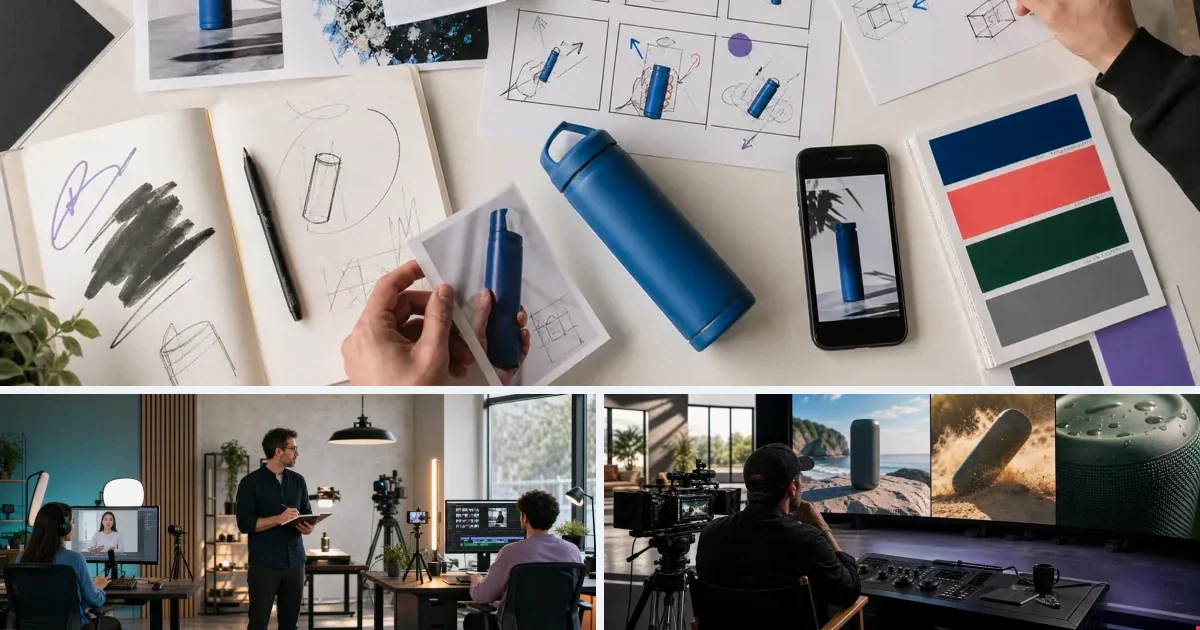 Start here
v4v alternatives (2026): honest comparison of the top options
Read the guide →
Start here
v4v alternatives (2026): honest comparison of the top options
Read the guide →
Every real v4v alternative in 2026 — Creatify, HeyGen, Synthesia, Runway, InVideo, Zeely and more — with verified July pricing and where each one beats us.
Read article
Six Synthesia alternatives for ad-first video in 2026: verified pricing for HeyGen, Creatify, InVideo AI and more — plus where Synthesia still wins.
Read article
Runway is built for filmmakers, not ad teams. Ad-focused Runway alternatives for 2026 with pricing checked July 2026 — and when Runway is still the right call.
Read article
Five InVideo alternatives for DTC brands running paid ads in 2026 — pricing checked July 2026 for Creatify, HeyGen, Synthesia and Runway, and where each fits.
Read article
HeyGen pricing in 2026: Creator $29, Pro from $49, Business $149 + seats, credit rollover, and video length limits by plan (1 to 60 minutes).
Read article
HeyGen runs $29–$149/month as of July 2026. How Synthesia, Creatify, Runway, InVideo AI and v4v compare when the job is product video ads, not training clips.
Read article
Creatify pricing re-checked October 2026: Standard $15 (55 credits), Pro $55, Max $95, credits valid two months, and what an ad really costs.
Read article
Five Creatify alternatives with pricing checked July 2026: v4v, HeyGen, Synthesia, InVideo AI, Runway — credit math, expiry rules, and who each tool fits.
Read article
Arcads publishes no prices. Compare AI UGC alternatives with public pricing — Creatify, MakeUGC, Topview, v4v — on cost, avatars and workflow.
Read article
CapCut is an editor: every ad still costs editing time. Alternatives that generate product ads instead, and when staying on CapCut makes sense.
Read article
Why people leave Creatify (credit expiry, per-video cost on quality tiers) and which alternative fits: v4v, MakeUGC, Topview, HeyGen and more.
Read article
Creatify wins product ads (URL import, ad templates); HeyGen wins presenter video (avatar realism, translation). Prices and the overlap.
Read article
Creatify for fast avatar product ads, InVideo AI for breadth (explainers, stock assembly, long-form). Neither keeps a product system between projects.
Read article
Different buyers: Creatify makes feed ads for performance marketers, Synthesia makes training video for enterprises. Which one your job needs.
Read article
Closest rivals: both turn a product URL into UGC ads. Creatify has more creative range; Zeely adds campaign launch in one app. Prices compared.
Read article
7 HeyGen alternatives for ad video (2026): who beats HeyGen on product ads, price per video and output format, and when to stay.
Read article
HeyGen if a person presents, InVideo AI if footage gets assembled. Avatar quality vs breadth, with prices side by side.
Read article
Almost no overlap: HeyGen renders people talking, Runway renders worlds moving. Which to pick, and when teams use both.
Read article
HeyGen is more flexible with stronger translation; Synthesia is the enterprise standard. Prices and features — and why neither starts from your product.
Read article
Higgsfield alternatives for ecommerce video: tools that start from your product, not a cinematic effect — compared on price and workflow.
Read article
Higgsfield for trend effects in minutes; Runway for shots you direct. Prices side by side, and which one fits creators vs filmmakers.
Read article
7 InVideo AI alternatives (2026) compared on price per video and output format — for teams tired of scripting and directing every ad.
Read article
InVideo AI assembles content; Runway crafts footage. Generalist vs filmmaker tool, prices side by side, and who should pick which.
Read article
MakeUGC alternatives that make AI UGC ads without real creators — compared on avatars, per-video cost and how much setup each ad takes.
Read article
7 Runway alternatives (2026) for ad video: tools that turn a product into variants fast, compared on price per video and credit rules.
Read article
Sora's app closed in April 2026 and its API was set to end September 24. The best alternatives for product video ads, compared on price and workflow.
Read article
7 Synthesia alternatives for ad video (2026), compared on price per video and output format — vertical, feed-native, product-first.
Read article
Synthesia for governed presenter video at enterprise scale; InVideo AI for varied content without procurement. Prices and the thin overlap.
Read article
Topview alternatives (2026): what to use for deeper generation, no watermark or more languages — compared on price per video and workflow.
Read article
We're v4v, and this is the honest map: HeyGen, Synthesia, InVideo, Runway, Creatify and more — what each does best, and when to pick it over us.
Read article
Arcads has top-tier AI actors at ~$11 per video on $110–$220/mo plans (prices hidden until signup). v4v generates product ads at ~$1.58, pay-per-use, with model choice. Full comparison.
Read article
CapCut is an editor (you assemble the ad); v4v is a generator (paste a product link, get the ad). Which fits, and when to use both.
Read article
Creatify renders avatar ads from a template engine on expiring credits. v4v builds a reusable creative system on named models (Seedance 2.0, Kling 3.0, Veo 3.1) at ~$1.58 per video, no subscription. Full comparison with pricing tables.
Read article
HeyGen is a presenter/avatar platform built for talking-head video. v4v is built for product ads: URL in, auto-brief, Seedance/Kling/Veo output at ~$1.58 per video — and it includes HeyGen v2 translation inside.
Read article
Same models (Kling, Seedance, Veo), opposite pricing: Higgsfield subscriptions with expiring credits vs v4v pay-per-use credits that never expire.
Read article
InVideo AI is a general-purpose video platform — you script, it assembles. v4v starts from a product URL and builds the ad brief itself: ~$1.58 per video, pay-per-use, no subscription. Full comparison.
Read article
MakeUGC is the guided, affordable talking-head ad builder ($49–$119/mo, ~$6–10/clip; product-in-hand on Pro). v4v is a model-stack production system at ~$1.58/video. Honest comparison.
Read article
Runway is a creative-grade video generation platform for filmmakers and studios. v4v is a product-ad generator for performance marketers: URL in, ad out, ~$1.58 per video, no subscription. Honest comparison.
Read article
Sora's app closed April 26, 2026 and its API was set to end September 24. What to use instead for product video ads, and how v4v compares.
Read article
Synthesia is enterprise presenter video — training, onboarding, corporate comms. v4v is product-ad creative for paid social: URL in, vertical ad out, ~$1.58 per video, no subscription. Which one is your job?
Read article
Topview offers a free (watermarked) tier, budget plans, 15+ language voices and direct Meta/TikTok/Google Ads connections. v4v offers deeper generation at ~$1.58/video. Which fits?
Read article
Visla turns docs and recordings into communication video; v4v turns a product link into a 9:16 ad. Which job you have decides it.
Read article
Zeely: ads plus campaign management in one app, on a monthly subscription. v4v: deeper ad generation, pay-per-use from $7. Compared.
Read article
Visla alternatives for product-ad work: tools without per-second credit burn, compared on price per video and output format.
Read article
Why people leave Zeely (subscription pricing, little creative control) and the alternatives by use case, compared on price and workflow.
Read articlev4v.ai combines product-URL imports, multiple generation tools, and reusable workflows with one-time credit packs. Runway's official pricing page lists a free tier and paid plans with monthly credit allowances. Compare the current model catalog, reference controls, editing tools, and total cost for the creative you need.
Sources: Runway official pricing; v4v.ai pricing
Start with your inputs and required outputs: product URLs, reference photos, text prompts, clip lengths, aspect ratios, and audio. Test product fidelity and prompt adherence on the same brief, then compare editing controls, commercial-use terms, and cost per usable result.
No. Comparison articles are dated snapshots. Plans, included credits, model access, and limits can change. Check each provider's official pricing page and the current v4v.ai pricing page before purchasing.
Sources: Current v4v.ai pricing
Yes. Connect compatible generation and processing tools in the workflow canvas, pass outputs between nodes, and save the sequence for reuse. Each generation step has its own inputs, settings, and credit estimate.
Sources: Workflow and creative guides
More questions? Read the product FAQ or contact support.
From reading to rendering