The linen shirt is tossed onto the bed and settles in slow motion, the weave visible in side light. Soft room sound throughout. No on-screen text.
TL;DR — updated October 16 2026
Fashion sells in motion: fabric drapes, garments settle, outfits walk. The category trap is over-polish — apparel buyers trust real-feeling movement over showroom gloss, so UGC and lifestyle registers usually beat cinematic.
The formula
[garment + fabric] + [fabric verb: drapes, settles, flexes] + [movement or scene] + [light] + [voice or ambient]Prompt 01, broken down: the linen shirt + settles in slow motion + tossed onto the bed + weave visible in side light + soft room sound, no on-screen text.
The 8 prompts
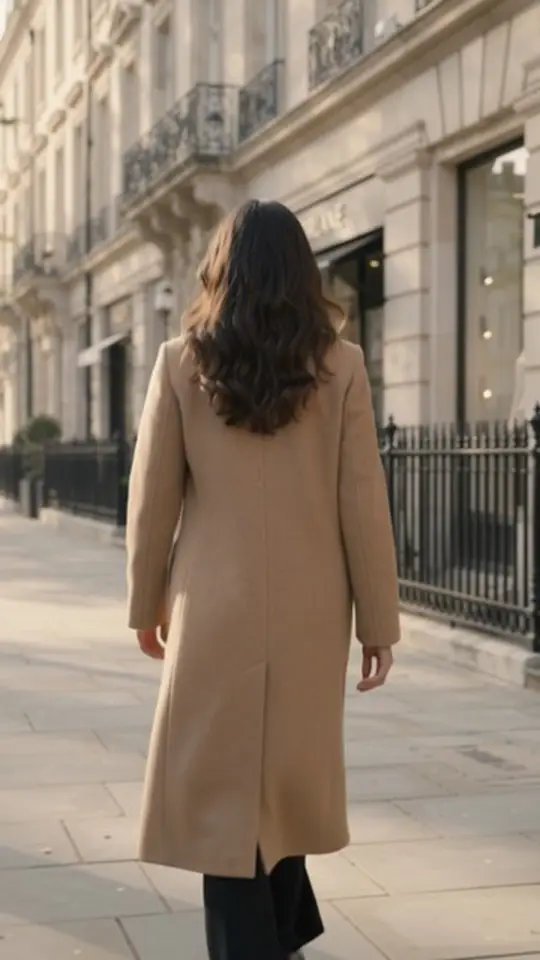
She walks away from camera down a quiet morning street, the coat swinging with each step. City ambience throughout, no voice. No on-screen text.
Slow close camera travel across the stitching, the mother-of-pearl buttons and the cuff. Voice: male, quiet, mid-clip. Says: 'The details you feel.' Soft room sound throughout. No on-screen text.
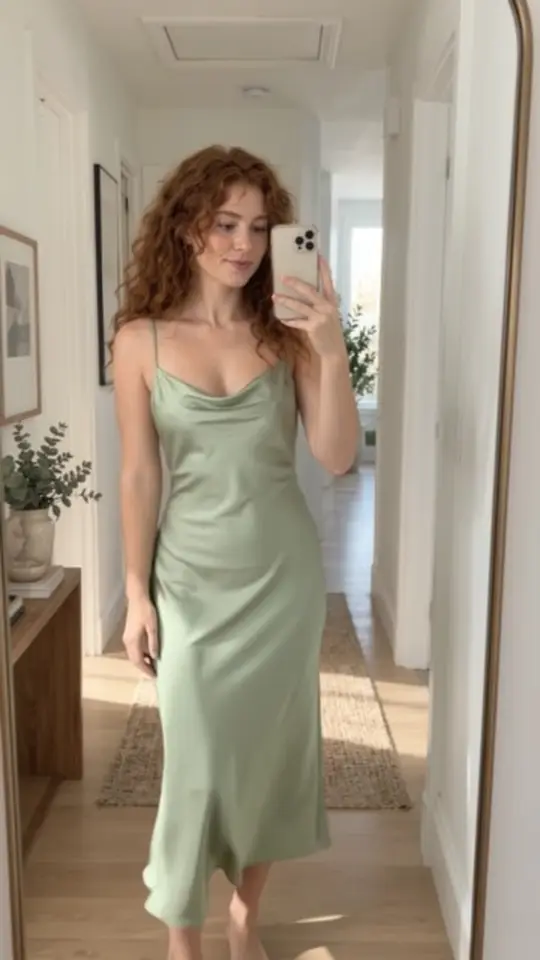
Quick fit-check turn in the hallway mirror, phone in hand, natural light, casual energy. Voice: female, casual, as she smiles. Says: 'Okay, it's good.' Soft room sound throughout. No on-screen text.
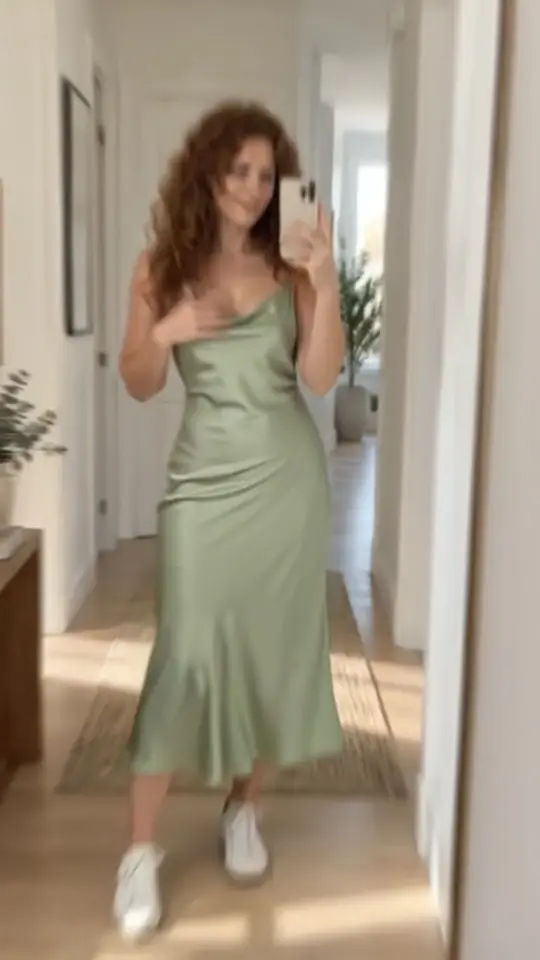
The same dress styled in three quick beats: sneakers, boots, heels. Voice: female, playful, mid-clip. Says: 'One dress. Three moods.' Soft room sound throughout. No on-screen text.
Close macro: a hand slowly brushes across the folded cable knit, the wool fibres catching soft side light. Soft room sound throughout. No on-screen text.
She turns up the coat collar against a sudden gust, autumn leaves blowing past. Voice: male, warm, mid-clip. Says: 'Ready for the turn.' No on-screen text.
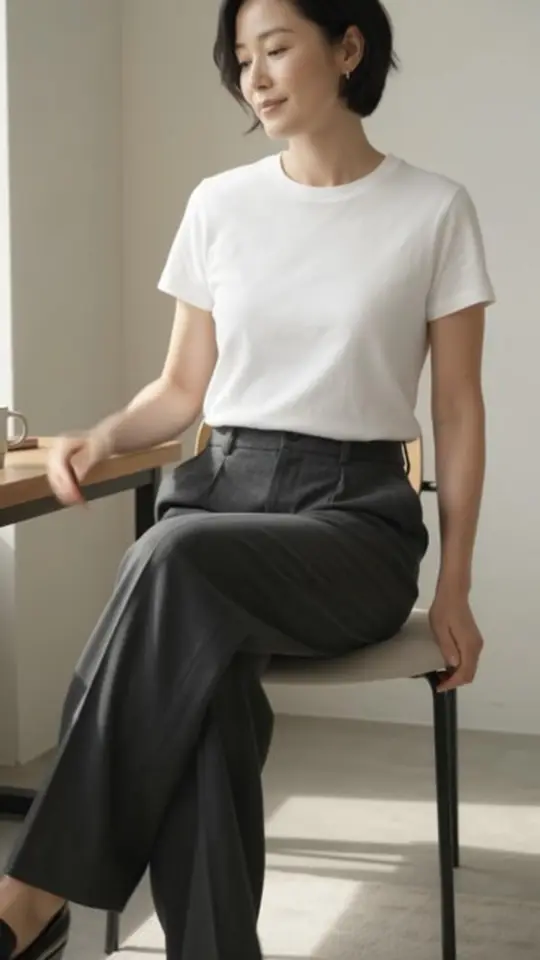
Sitting, reaching, walking: the trousers keep their line through each move. Voice: female, matter-of-fact, mid-clip. Says: 'Moves like you do.' Soft room sound throughout. No on-screen text.
Make them yours
Fabric verbs (drapes, settles, flexes) do the selling. If output looks too glossy for your brand, switch the format to UGC — authenticity converts in apparel.
Run any of these on your product
- Copy a promptPick one above, or combine two. Keep the product words exact.
- Add your productPaste your product page URL in v4v Studio. It imports your photos and copy.
- Generate and publishPreview the clip, then use it on your product page, in ads or in Reels.
Start in Studio
From $7 · no subscription · credits never expire. On Shopify? Install the v4v app: three videos free on install.
FAQs
Why do AI fashion videos look too polished?
Cinematic defaults read as showroom gloss, and apparel buyers trust real-feeling movement. If a result looks too glossy for your brand, switch to a UGC or lifestyle register.
Can AI video show fabric realistically?
Drape, stretch and fine weave are the hardest things for current video models to get right. Use fabric verbs (drapes, settles, flexes), keep the motion simple, and preview every clip before it goes on a product page.
How long should a fashion video be?
Keep it to one movement: a drop, a turn, a walk-away. Up to 10 seconds, which is what v4v Studio makes, covers one motion beat and fits a product gallery or a Reel.
Can I use these prompts in Kling, Veo or other video models?
Yes. They're plain-language prompts, so they work as a starting point in any text- or image-to-video model, though results vary by model. In v4v, run them on a specific model such as Kling, Veo, Seedance or Wan in the Lab, which gives direct access to each model. To keep your actual product in the shot, start from your product photos rather than text alone.
Prompts checked October 16, 2026. Example videos were made in v4v Studio; each caption names the format that made it.