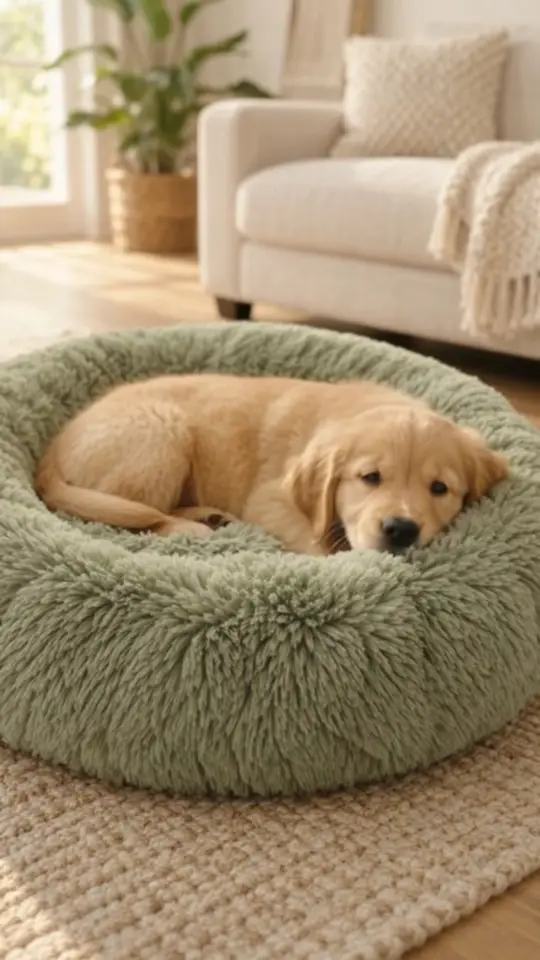
A puppy hops into the round bed, circles once and sinks into the soft rim. Voice: female, tender, mid-clip. Says: 'Sweet dreams start here.' Soft room sound throughout. No on-screen text.
TL;DR — updated October 16 2026
Pet prompts put the animal mid-action with the product and keep the voice warm. Give the pet one simple action, let the product do its job, and save the voice line for the middle of the clip so it isn't cut off.
The formula
[pet + one action] + [the product doing its job] + [setting and light] + [voice line, mid-clip] + [no on-screen text]Prompt 01, broken down: a puppy hops in, circles once + sinks into the soft rim + home, soft room sound + 'Sweet dreams start here.' + no on-screen text.
The 10 prompts
- Soft bed
- Auto feeder
- Cat scratcher
- Water fountain
- Smart collar
- Grooming brush
- Interactive toy
- Carrier
- Pet shampoo
- Treats
Kibble drops into the bowl; the cat hears it and trots over to eat. Voice: female, friendly, mid-clip. Says: 'Dinner on time, even when you're late.' Soft room sound throughout. No on-screen text.
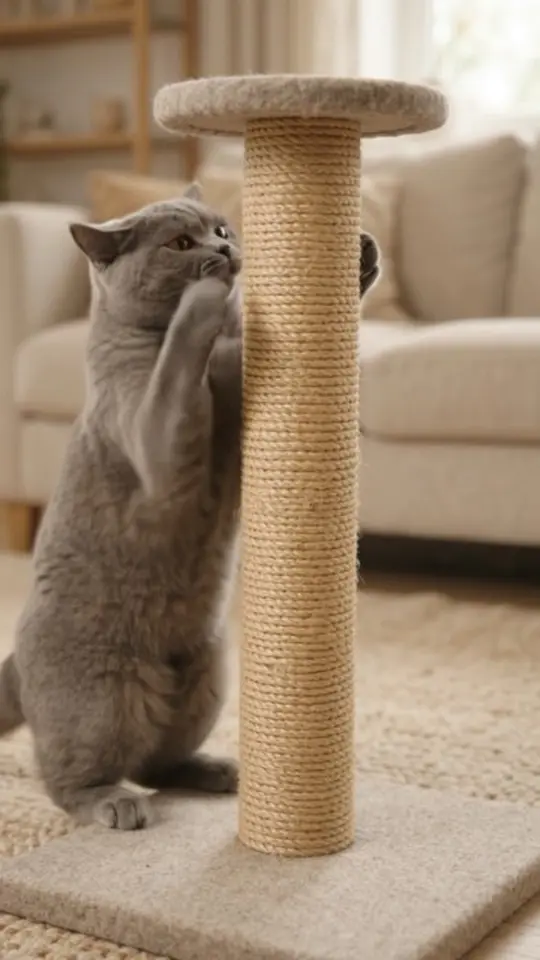
The cat stretches up the sisal post and scratches hard, then looks back at the camera. Voice: male, dry humour, mid-clip. Says: 'Your sofa says thank you.' Soft room sound throughout. No on-screen text.
A clear stream falls into the ceramic basin; a ginger cat walks in, dips its head and laps the water, its tongue touching the surface. Voice: female, calm, mid-clip. Says: 'Always fresh water.' Soft water sound throughout. No on-screen text, no titles.
Close-up of the collar on the dog's neck as it turns its head in the park light. Voice: male, confident, mid-clip. Says: 'Peace of mind, right on your phone.' Park ambience throughout. No on-screen text.
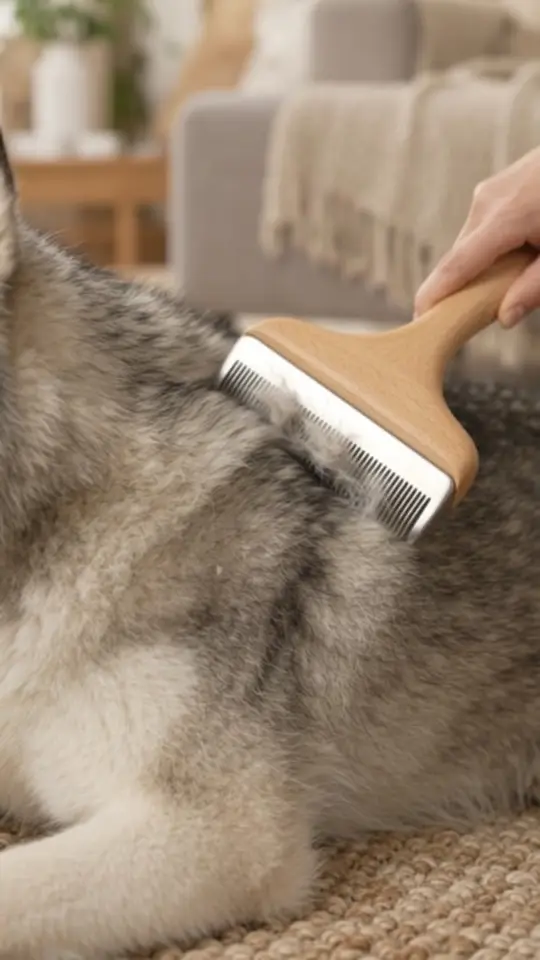
A hand draws the brush through the dog's thick coat, loose fur lifting away. Voice: female, gentle, mid-clip. Says: 'Less fur on the sofa.' Soft room sound throughout. No on-screen text.
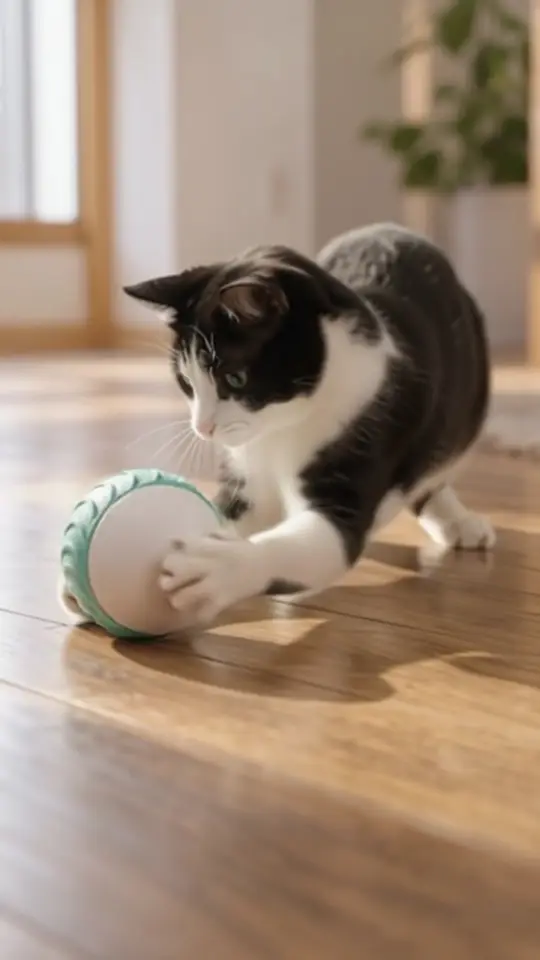
A black-and-white cat crouches low, wiggles and pounces as the ball rolls past on its own. Voice: female, playful, mid-clip. Says: 'Fun that never gets old.' Soft room sound throughout. No on-screen text.
A small dog peeks out of the carrier on her shoulder as she walks into a café. Voice: female, warm, mid-clip. Says: 'Home is wherever we go.' Café ambience throughout. No on-screen text.
Bath time: hands work the lather into the dog's coat and it shakes happily. Voice: female, fresh, mid-clip. Says: 'Clean coat, happy dog.' Soft bathroom sound throughout. No on-screen text.
A hand offers a treat and the dog's tail wags hard. Voice: male, warm, mid-clip. Says: 'The best reward.' Soft room sound throughout. On-screen text: 'The best reward.'
Make them yours
The pet acts, the product performs, the voice stays warm. Keep it to one action per clip. If the result feels staged, switch the format to UGC: authenticity beats polish in this category.
Run any of these on your product
- Copy a promptPick one above, or combine two. Keep the product words exact.
- Add your productPaste your product page URL in v4v Studio. It imports your photos and copy.
- Generate and publishPreview the clip, then use it on your product page, in ads or in Reels.
Start in Studio
From $7 · no subscription · credits never expire. On Shopify? Install the v4v app: three videos free on install.
FAQs
Can AI video show pets realistically?
Mostly, if you keep the action simple: a hop, a sniff, a pounce. Complex sequences are where paws, eyes and fur go wrong, so give the pet one action and preview every clip before it goes on a product page.
Which video format works best for pet products?
UGC for everyday items like beds, feeders and toys, because pet owners trust real homes over studio gloss. Use TV Spot for premium items such as a ceramic fountain, and Tutorial for products that need a demo, like a grooming brush.
How long should a pet product video be?
One action fits in 6 to 10 seconds. Up to 10 seconds, which is what v4v Studio makes, covers the pet's action, the product doing its job and one voice line.
Can I use these prompts in Kling, Veo or other video models?
Yes. They're plain-language prompts, so they work as a starting point in any text- or image-to-video model, though results vary by model. In v4v, run them on a specific model such as Kling, Veo, Seedance or Wan in the Lab, which gives direct access to each model. To keep your actual product in the shot, start from your product photos rather than text alone.
Prompts checked October 16, 2026. Example videos were made in v4v Studio; each caption names the format that made it.